If you are preparing for a medical, engineering, or any competitive exam, you already know the pain: you buy a study material PDF, and then spend ₹200 to ₹300 extra to get it printed so you can practice the MCQs. Every new set means another trip to the print shop and another ₹200–300 gone.
We built the MCQ Quiz Tool to solve this problem completely.
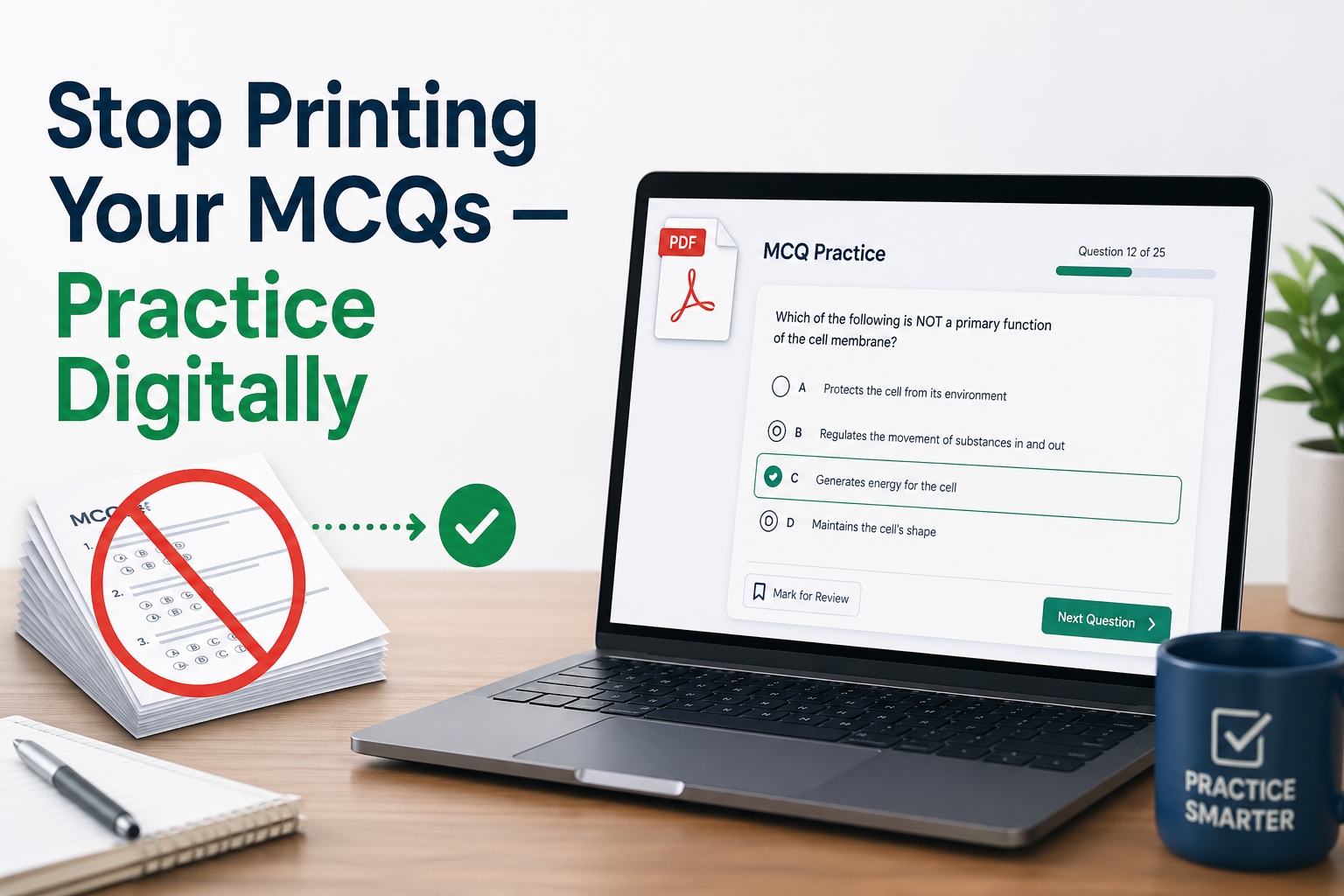
MCQ Quiz Tool is a new feature on Ziapy that converts your MCQ PDF into a digital interactive quiz — no printing, no extra cost, no waiting. Upload your PDF, and within 60 seconds, you will be answering questions with instant feedback and full explanations from your own answer key.
What is the MCQ PDF to Quiz Tool?
MCQ PDF to Quiz is an AI-powered MCQ practice tool built directly into Ziapy. Instead of printing your study material to practice, you upload the PDF. The app converts it into a proper quiz — one question at a time, with four options, instant answer checking, and the explanation pulled directly from your answer key.
No Answer Key? No Problem.
Full MCQs are extracted exactly from your PDF — question, answer, and explanation. If your PDF has an answer key, those answers are used directly. But if you upload a PDF containing only MCQs (no answer key), the AI will suggest the correct answers for you.
You do not need any technical knowledge. You do not need to format anything. Just upload the PDF you already have and start practising.
How It Works — Step by Step
Step 1: Create a free account on Ziapy
You must create an account before you can practice the pack. Your account saves your practice progress permanently, so you can resume from any device at any time — even if you close the browser.
Step 2: Choose a practice pack
Start with the Free Preview — it gives you 5 MCQs from your PDF at no cost, so you can confirm the app works with your PDF before buying anything. If it works well, upgrade to a paid pack.
Step 3: Upload your MCQ PDF
Upload one set at a time — the questions AND the answer key for that set, all in one PDF. The PDF must have selectable text (not a scanned image).
To check: Open your PDF and try to highlight text with your cursor. If the text highlights, it will work. If nothing selects, it is a scanned image PDF and will not work.
Important: If your PDF has more than 50 pages, you will be asked to enter the start and end page numbers. Make sure the page range you enter contains BOTH the MCQ questions AND their answer key or explanation. If the answer key is on separate pages, include those pages in your range. Without the answer key pages, the app cannot show explanations.
Step 4: AI reads and extracts your MCQs
The AI reads your entire uploaded PDF — including full case scenarios with all patient details, options A through D, and the answer key. It pairs every question with its correct answer and explanation automatically. This takes about 30 to 60 seconds.
Note: If the uploaded PDF does not include an answer key, the AI suggests the correct answer.
Step 5: Practice with instant feedback
Questions appear one at a time on your screen. You tap or click your answer. The app immediately tells you whether you are correct or wrong, highlights the correct option, and shows the full explanation from your answer key. Your score updates in real time.
Step 6: Resume any time
Every answer you give is saved to your account immediately. If you close the app and return tomorrow, your session is right where you left off. When you purchase a new practice pack, it automatically continues from the next question you have not yet answered — no repeated questions, ever.
👉 Try the PDF to Digital Quiz Converter for Free Here
The Cost Comparison
Printing and binding a 100‑MCQ set costs roughly twice as much as using the MCQ PDF to Quiz Tool, and the tool offers a far better user experience. Add in the hassle of going to the print shop, and that’s money spent before you even answer a single question.
With MCQ PDF to Quiz Tool:
| Pack | MCQs | Price |
|---|---|---|
| 🆓 Free preview | 5 MCQs | ₹0 |
| 🚀 Starter pack | 35 MCQs | ₹29 |
| ⭐ Standard pack | 80 MCQs | ₹59 |
| 💎 Large pack | 100 MCQs | ₹69 |
Across multiple sets, the savings add up quickly, making digital practice a smarter and more affordable choice. The tool also gives you a much more exam‑like, user‑friendly environment.
All payments are processed securely through Razorpay. UPI, debit/credit cards, and net banking are all accepted.
Key Features
✅ Convert your PDF MCQs into a digital quiz — no printing required. Your study material stays the same, but you practice it on your phone or laptop instead of on paper.
✅ Full case scenarios extracted correctly. Many MCQ apps only show the last sentence of a case question. MCQ PDF to Quiz Tool extracts the complete MCQs — so you get the full context needed to answer correctly.
✅ Explanations come from your own answer key. The AI does not make up explanations. It reads your PDF’s answer key section and shows you exactly what is written there for each question.
✅ Progress saved after every answer. Close the tab, switch devices, go to sleep — your progress is always saved. You never lose your session.
✅ No repeated questions across packs. MCQ PDF to Quiz Tool tracks every question you have answered. A new pack always picks up from the next unanswered question.
✅ Works on any device. Phone, tablet, laptop — practice anywhere without carrying printed sheets.
✅ Both MCQ formats supported. Whether your PDF has all questions first, then the answer key at the end, or each question immediately followed by its answer, MCQ PDF to Quiz Tool handles both automatically.
👉 Try the PDF to Digital Quiz Converter for Free Here
Which PDFs Work?
MCQ PDF to Quiz Tool works with any MCQ PDF that has selectable text. We strongly recommend using the free pack to check whether your PDF works with our tool.
The most common formats that work:
Format 1 — All questions, then answer key
Questions 1 to 100, followed by Answer Key 1 to 100 with explanations. This is the standard format in most medical and competitive exam books.
Format 2 — Question, then immediate answer
Each question is directly followed by its answer and explanation. The AI matches them automatically.
Format 3 — Multiple sets in one large PDF
Use the page‑range feature to upload one set at a time. Enter the start and end pages that include both the questions and the answer key for that set.
What does NOT work
Scanned image PDFs where pages are photos of printed sheets. If you cannot highlight text in the PDF viewer, the file will not work in MCQ PDF to Quiz Tool.
Frequently Asked Questions
Q: Will it work with the PDFs I purchased from Ziapy?
A: Yes. The MCQ PDF to Quiz is built specifically for Ziapy study materials. Always try the free 5-MCQ preview first to confirm it works with your specific PDF before purchasing a pack.
Q: Are the answers really from my PDF, or does the AI make them up?
A: The answers and explanations are extracted directly from your PDF’s answer key — not generated by AI. If your answer key says that"Answer: C — because X", that is exactly what you will see. If the uploaded PDF does not include an answer key, the AI suggests the correct answer.
Q: Do I need to create an account to practice?
A: Yes. You must create a free Ziapy account before you can practice any pack. Your account saves your progress permanently, so you can pick up right where you left off—even on a different device.
Q: What happens if I close the browser during practice?
A: Your progress is saved after every answer. Just log in to your Ziapy account and resume from any device
Q: Will questions repeat when I buy a new pack?
A: No. You can choose to resume or start fresh. MCQ PDF to Quiz Tool tracks every question you have answered, and a new pack always starts from the next unanswered question.
Q: I paid but did not receive access. What should I do?
A: Contact us with your Razorpay payment ID. Our team can manually add your MCQ quota within a few hours.
Q: My PDF has 300 pages with 5 sets. How do I use it?
A: Enter the page range for the set you want to practise. For example, pages 1–50 for Set 1. Make sure your page range includes both the MCQ questions AND the answer key for that set. Otherwise, explanations will be missing.
Q: My PDF is very large (over 300 pages), and the app cannot process it. What should I do?
A: You can easily split your large PDF into smaller parts using free online tools like iLovePDF.com or smallpdf.com. Split the file so each part contains one complete set (questions and answer key together). Then upload each part separately — the app will handle them without any issue.
Q: Does it work on a mobile phone?
A: Yes, the MCQ PDF to Quiz Tool is fully mobile-optimised. Many students find it more convenient than printed sheets during commutes or study breaks.
Get Started — It Is Free to Try
Visit MCQ PDF to Quiz, create your free account, and try 5 MCQs from your own PDF before spending a rupee.
No printing. No waiting. No repeated questions. Practice your exact study material — digitally.
🚀 Start free: ziapy.com/pdf-quiz-practice